 Brunner BI

Estimating semantic model size in Power BI and Fabric
File size and memory consumption are different things. Learn how to estimate the RAM your semantic model needs and pick the right Fabric capacity.
 Gregor Brunner
The question of semantic model sizes comes up frequently, particularly when provisioning Fabric capacities with model size restrictions. This post explains the difference between file size and memory consumption and how to estimate what you actually need.
File Size
A .pbix file represents a compressed version of data plus metadata. New Power BI files with minimal data occupy less than 1 MB. File size includes report metadata (pages, visuals) and semantic model metadata (descriptions, translations, table/column names).
A small file might have a couple of MBs even though the data inside that file is just a few rows, especially if you imported custom visuals into your Power BI report.
File size generally reflects compressed data, varying based on compression effectiveness.
Memory / RAM Consumption
Memory consumption differs from file size because it requires uncompressed data. A 1-2 MB file can consume hundreds of megabytes in RAM when opened in Power BI Desktop.
How to measure memory consumption:
Open Power BI Desktop and check Task Manager for the “Microsoft SQL Server Analysis Services” process.
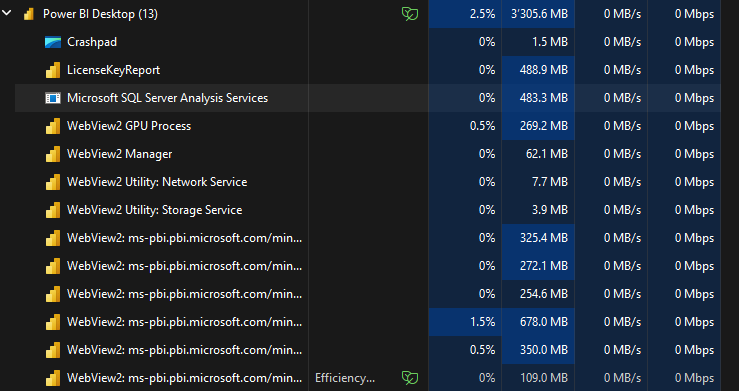
Most models consume at least several hundred megabytes, growing to multiple gigabytes for larger implementations. Refresh operations consume additional memory temporarily.
Estimating Memory During Refresh
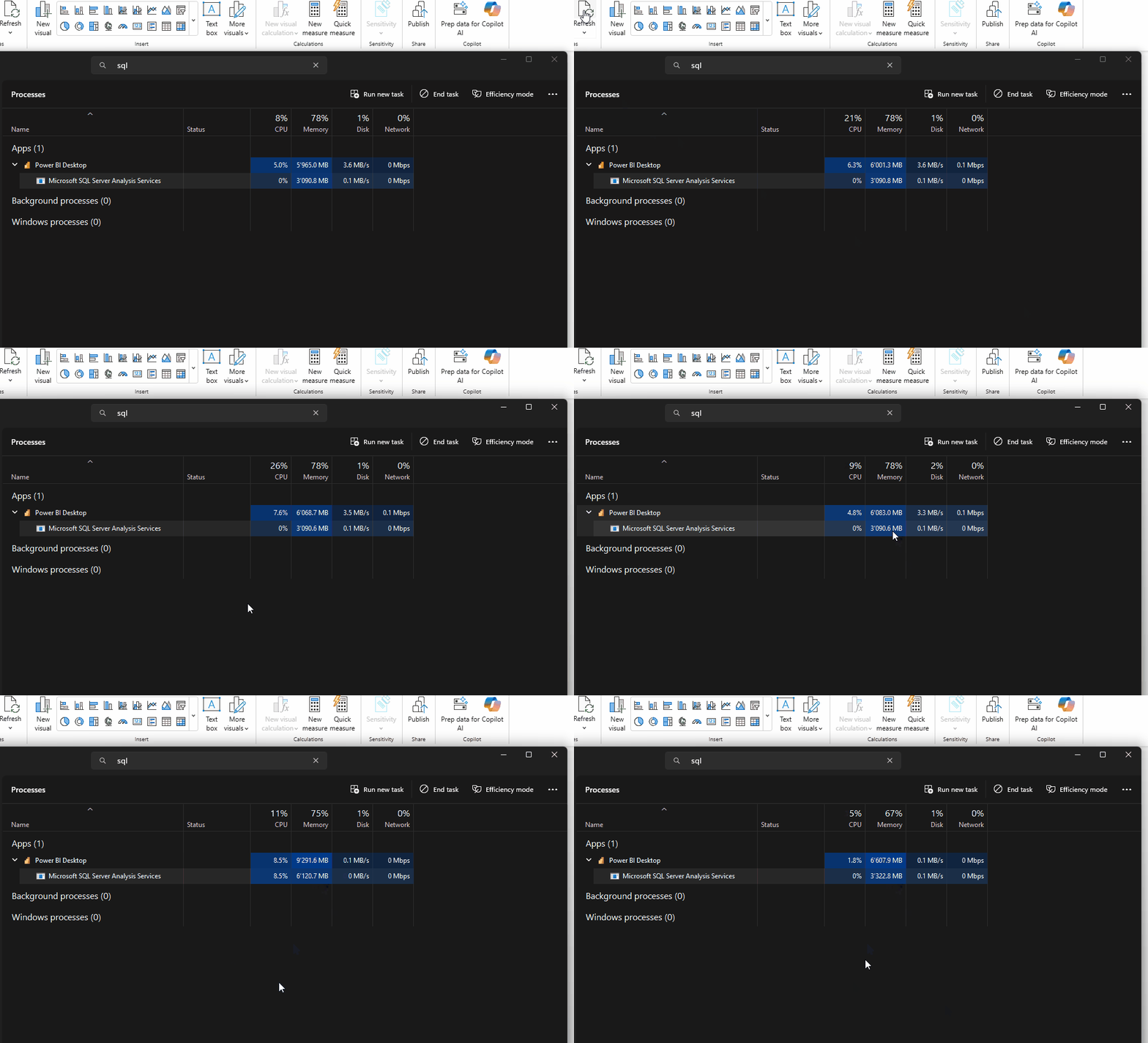
To estimate total memory needed during full refresh:
- Keep Task Manager open
- Click refresh in Power BI Desktop
- Monitor the SQL Server Analysis Services process
- Note the maximum memory consumption reached
The peak value indicates minimum capacity memory requirements for the Power BI Service.
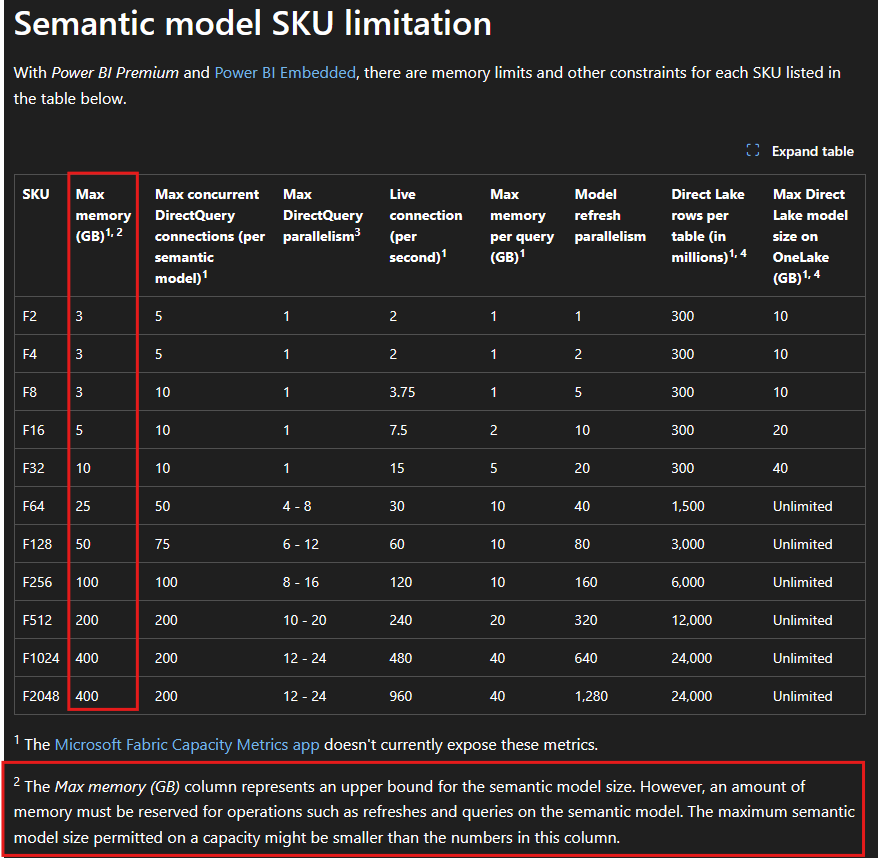
Example from demonstration: During a 25-minute refresh, memory consumption increased from 3.1 GB to 6.1 GB, then returned to 3.2 GB. The 6.1 GB peak indicates an F32 capacity (10 GB maximum) would be required.
RAM/Memory Limits per Fabric Capacity
Relevant Use Cases
File size limits apply primarily to Pro workspaces (1 GB limit). Models exceeding this threshold cannot refresh in Pro workspaces.

Memory/RAM limits determine required capacity size. For import mode models, check maximum memory during full refresh. For DirectQuery and DirectLake models, test in Power BI Desktop, interact with reports, and add buffer percentages for estimates, considering measure and visual complexity.