 Brunner BI

How to avoid having to use a personal gateway for web data sources (html page or table) in Power BI
Replace Web.BrowserContents with Web.Contents in Power Query to eliminate the need for a personal gateway when refreshing web data in the Power BI Service.
 Gregor Brunner
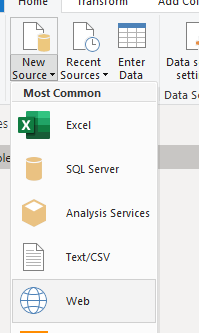
When importing publicly available data into a report, the web connector in Power Query is commonly used. However, this approach can create complications during dataset refresh operations.
The Problem
Selecting the Web connector in Power BI or Power Query to load publicly accessible data with anonymous authentication automatically generates this function:
= Web.BrowserContents("MYURL")When publishing the report to the Power BI Service and attempting to refresh it, the gateway connection option becomes enabled while data source credentials remain unavailable. This forces you to install a personal gateway on your machine to enable data refresh — a situation to be avoided.
The Solution
The resolution involves manually modifying the function to:
= Web.Contents("MYURL")After publishing with this change, Power BI recognizes the source as public data and no personal gateway is required. You can then configure data source credentials with appropriate authentication methods and privacy levels.
Conclusion
Replace the default Web.BrowserContents function with Web.Contents as described. According to Microsoft documentation, “Web.BrowserContents returns the HTML for the specified url, as viewed by a web browser,” while “Web.Contents returns the contents downloaded from url as binary.”