 Brunner BI

Hybrid tables in Power BI with dataCoverageDefinition
A deep dive into using dataCoverageDefinition for hybrid tables in Power BI with Snowflake, including implementation steps, performance findings, and limitations with dynamic expressions.
 Gregor Brunner
There has been considerable discussion surrounding hybrid tables and related variations over the past year. Recently, Chris Webb wrote about a new capability called dataCoverageDefinition, which presented an opportunity to address a specific business need.
The Challenge
A customer needed to display historical data alongside current-day information within a single KPI or table, refreshed every 5 minutes through Power BI’s automatic page refresh feature. The solution involved creating a hybrid table with imported partitions containing earlier data and a DirectQuery partition for the current day.
The data source was Snowflake, and the implementation faced serious performance issues. It even seemed to be slower than if I had everything in DirectQuery, despite expectations that imported partitions would perform quickly. Even when querying only imported data, the engine was sending queries to the database.
Model Setup
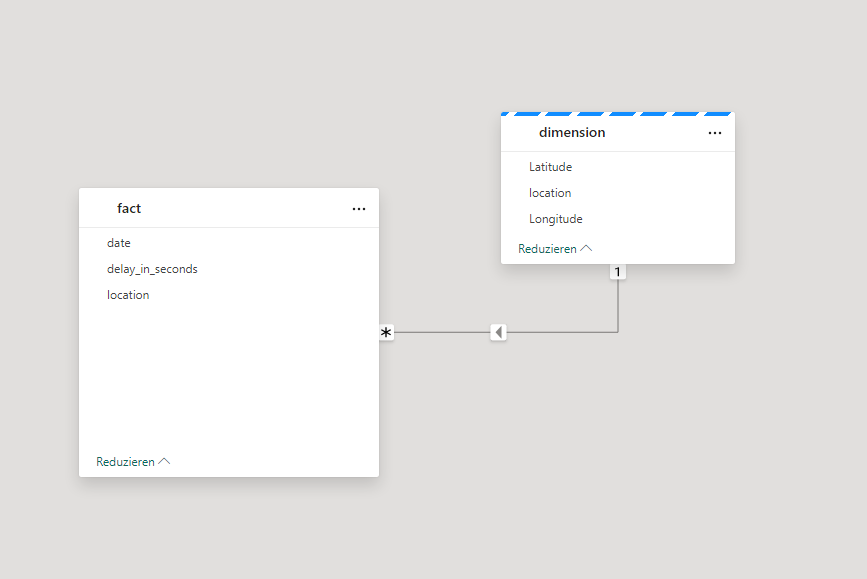
The semantic model consisted of:
- A fact table configured with Incremental Refresh
- A dimension table set to DirectQuery, then switched to dual mode
Implementation Steps
1. Configure Incremental Refresh
Define the incremental refresh policy in Power BI Desktop by right-clicking the fact table and selecting Incremental Refresh. Ensure “Get the latest data in real time with DirectQuery” is selected in optional settings.
2. Upload to Premium Workspace
Upload the report to a Premium workspace, as Incremental Refresh requires Premium capacity.
3. Initial Refresh
Perform a semantic model refresh to create the necessary partitions.
4. Connect via SQL Server Management Studio
Open SSMS and authenticate with your Microsoft account to access the Power BI semantic model.
5. Update Compatibility Level
Right-click the Power BI database and access properties. Update the compatibility level to at least 1603 (or higher).
6. Verify Compatibility Change
Confirm the compatibility level has been updated by repeating the previous step.
7. Test Initial Performance
Observe that queries are being sent to Snowflake even when accessing only imported partitions, which is undesired behavior. This can be verified through the Snowflake query monitor.
8. Define dataCoverageDefinition
Access the DirectQuery partition in SSMS and add the dataCoverageDefinition attribute:
"granularity": "day"
},
"dataCoverageDefinition": {
  "description": "DQ partition only for TODAY",
  "expression": "'fact'[date]=DATE(2024, 5, 10)"
}
Replace the existing granularity line to avoid duplication. Execute the changes.
9. Process Database
Right-click the database and select “Process Database,” then perform a Process Recalc operation.
10. Verify Implementation
Confirm the dataCoverageDefinition attribute appears in the partition definition.
11. Assess Performance Improvement
After implementation, imported partitions load significantly faster, with only the current day partition (DirectQuery) performing slower. Verification through Snowflake monitoring shows queries are sent only for the current day’s data.
Attempts at Dynamic Configuration
I attempted to make the dataCoverageDefinition dynamic by using a calculated column that returns TODAY for current dates. Despite following documented procedures, variations including MAX(date) resulted in continued suboptimal performance and database queries. The only case where the dataCoverageDefinition worked for me was with the date hard-coded, which required manual daily updates — impractical for production environments.
Conclusion
While dataCoverageDefinition represents a promising advancement for hybrid table optimization, the implementation encountered limitations with dynamic expressions. Hard-coded date expressions functioned correctly but required manual maintenance. Ultimately, the organization adopted a pure DirectQuery approach, which paradoxically delivered better performance than the hybrid table implementation without a working dataCoverageDefinition.