 Brunner BI

New ways to check if queries fold in Power Query
The 'View Native Query' button is not always reliable. Use this M code snippet to definitively check whether your Power Query steps actually fold.
 Gregor Brunner
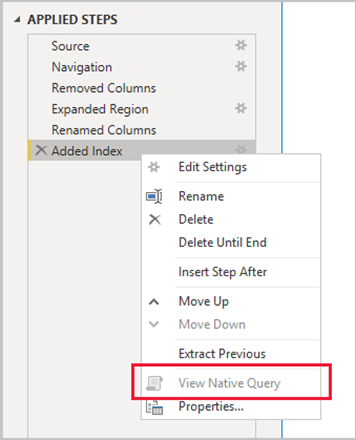
First of all we need to give some context to our title.
Most of you will know that if “View Native Query” is greyed out in our transformation protocol in Power Query we know there is no query folding happening.
Since this might be a valid check for SQL Server data sources, it is not a guarantee that your query might fold anyway!
We have tested this e.g. for Snowflake and all queries were greyed out, even though query folding was happening anyway!
So how can we really check if a query folds?
There is a little code we can add to our Advanced Editor that will give us this answer.
If you add:
GetMetadata = Value.Metadata(#"MY LAST STEP"),
QueryFolding = GetMetadata[QueryFolding]
in
    QueryFolding
you will either get isFolded = TRUE

or isFolded = FALSE
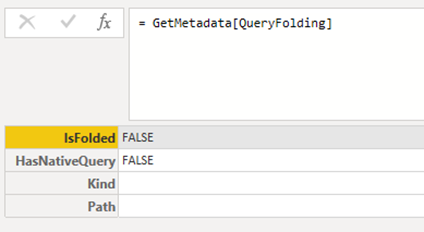
As alluded to above, we have seen IsFolded = TRUE happening while “View Native Query” was greyed out in the transformation protocol (for a Snowflake data source).
We found this code snippet in a blog post from Chris Webb.
Hopefully this will help you optimize performance for your queries.
UPDATE
In case you get this error when testing for query folding:

or in the previous step “GetMetadata” you do not see anything —
Make sure to “refresh preview” then you should be able to get a result.