 Brunner BI

1-Click Optimization and Fabric Git Integration
Safely remove all unused measures, columns and tables from semantic models in the Power BI Service using Measure Killer's 1-Click optimization with Fabric Git Integration as a safety net.
Update October 2025
Since every semantic model now has version history, this can be safely executed in any workspace regardless of Git integration status.
Overview
Measure Killer version 2.2.0 introduced a preview feature called “1-Click optimization,” which enables users to remove all unused measures, columns and tables with a single click. This provides an efficient approach to cleaning up models, enhancing performance, and lowering expenses.
However, automating such changes presents risks, particularly when working with semantic models in the Power BI Service where modifications become permanent.
Solution: Setting up Fabric Git Integration
One method to gain the benefits of 1-Click without concerns about irreversible changes involves utilizing Fabric Git Integration. This functionality enables version control of Fabric items, permitting users to monitor modifications and reverse them when necessary. Additional information is available in the official documentation.
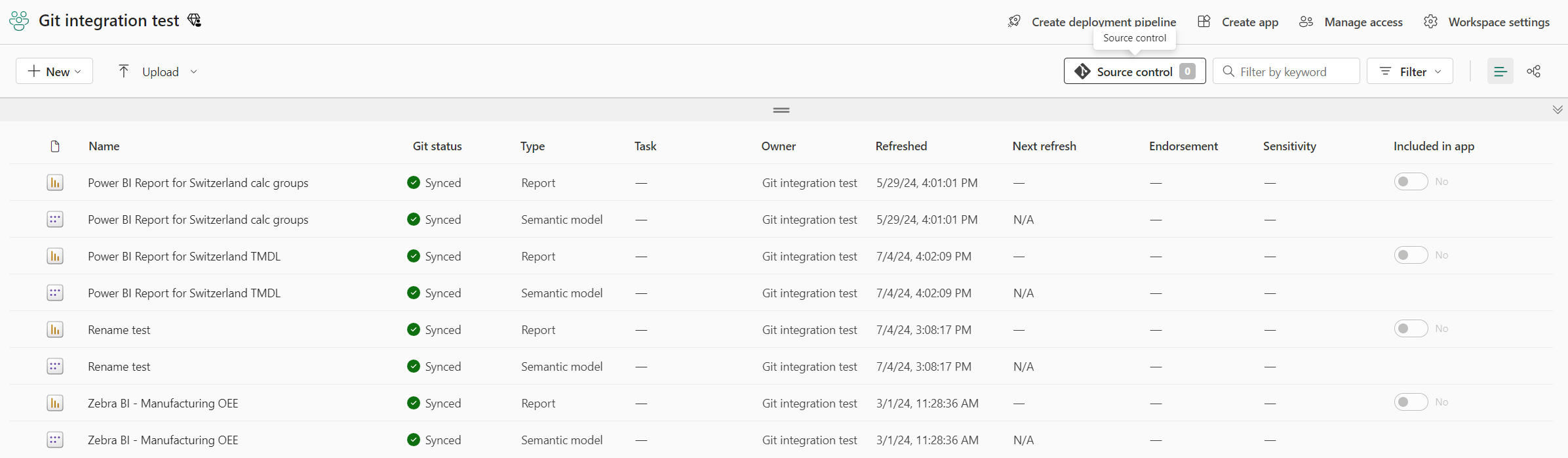
After integration setup, a workspace displays Git indicators. In Azure DevOps, the file structure for reports and semantic models becomes visible.
Running 1-Click Optimization
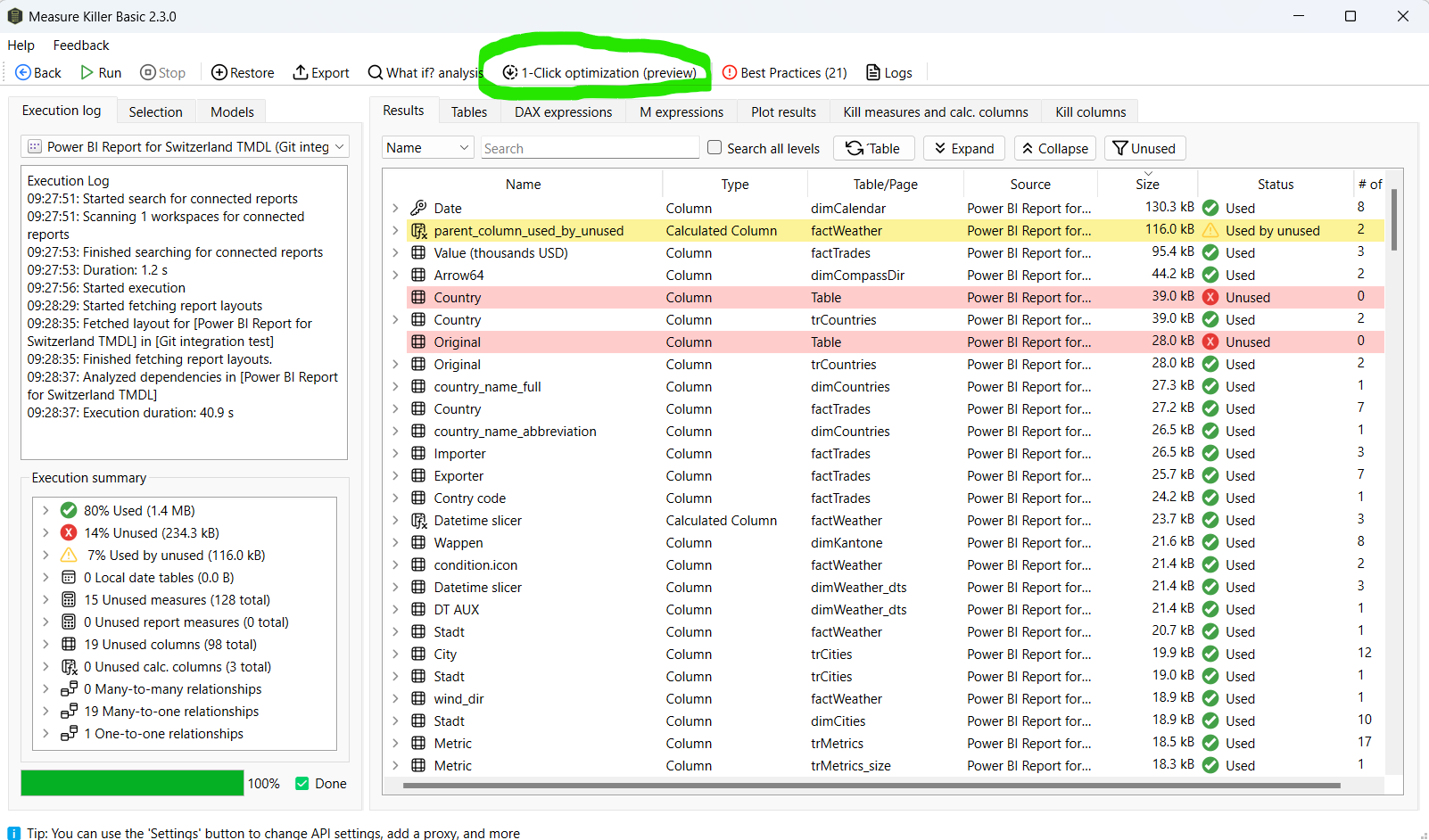
Launch Measure Killer in “shared model online” mode and select a semantic model within the Git-integrated workspace. The interface displays analysis results for the selected model.
Select the 1-Click optimization button to initiate the process. Upon completion, an execution summary details all removed components.
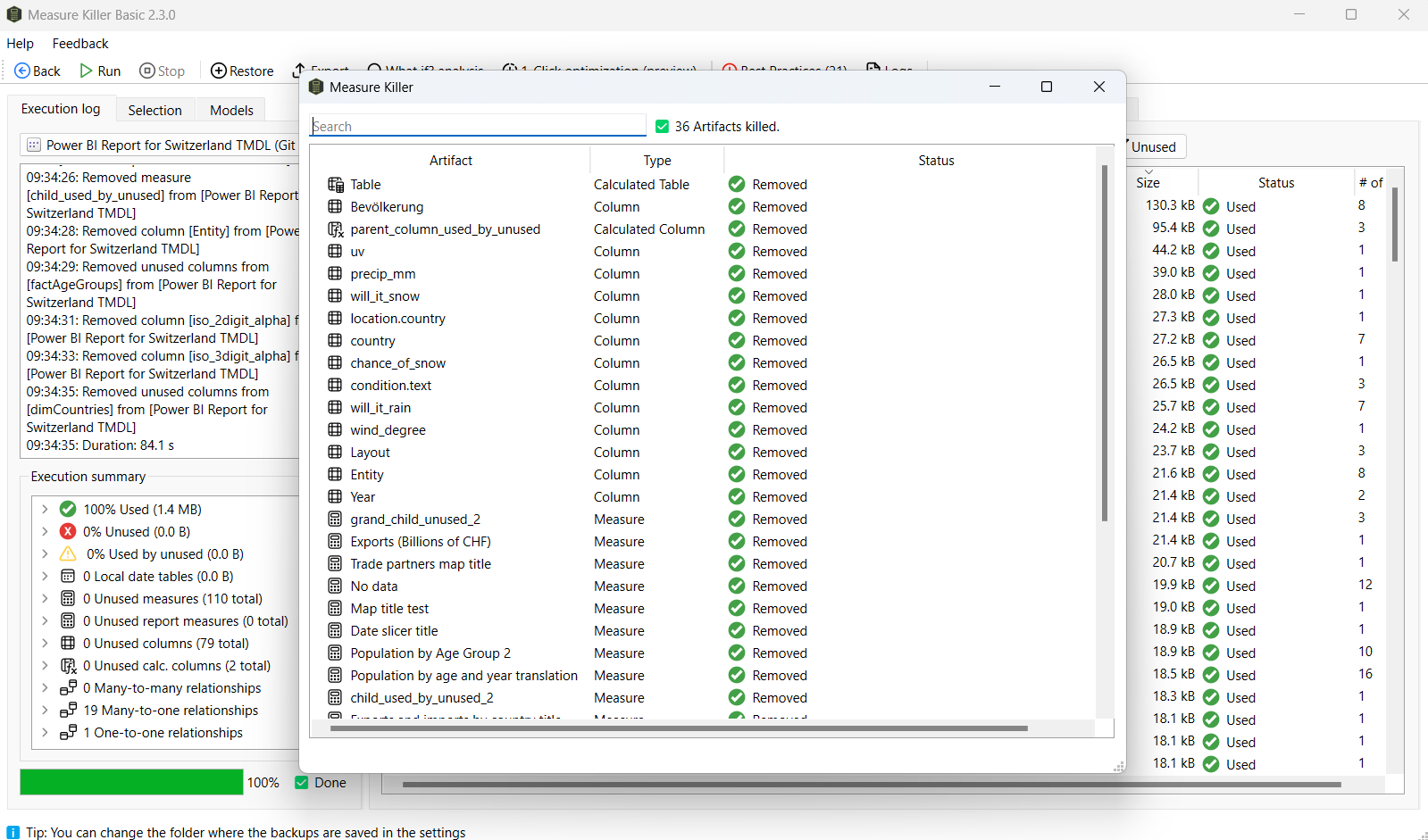
Returning to the Power BI Service and refreshing displays uncommitted changes to the optimized model.
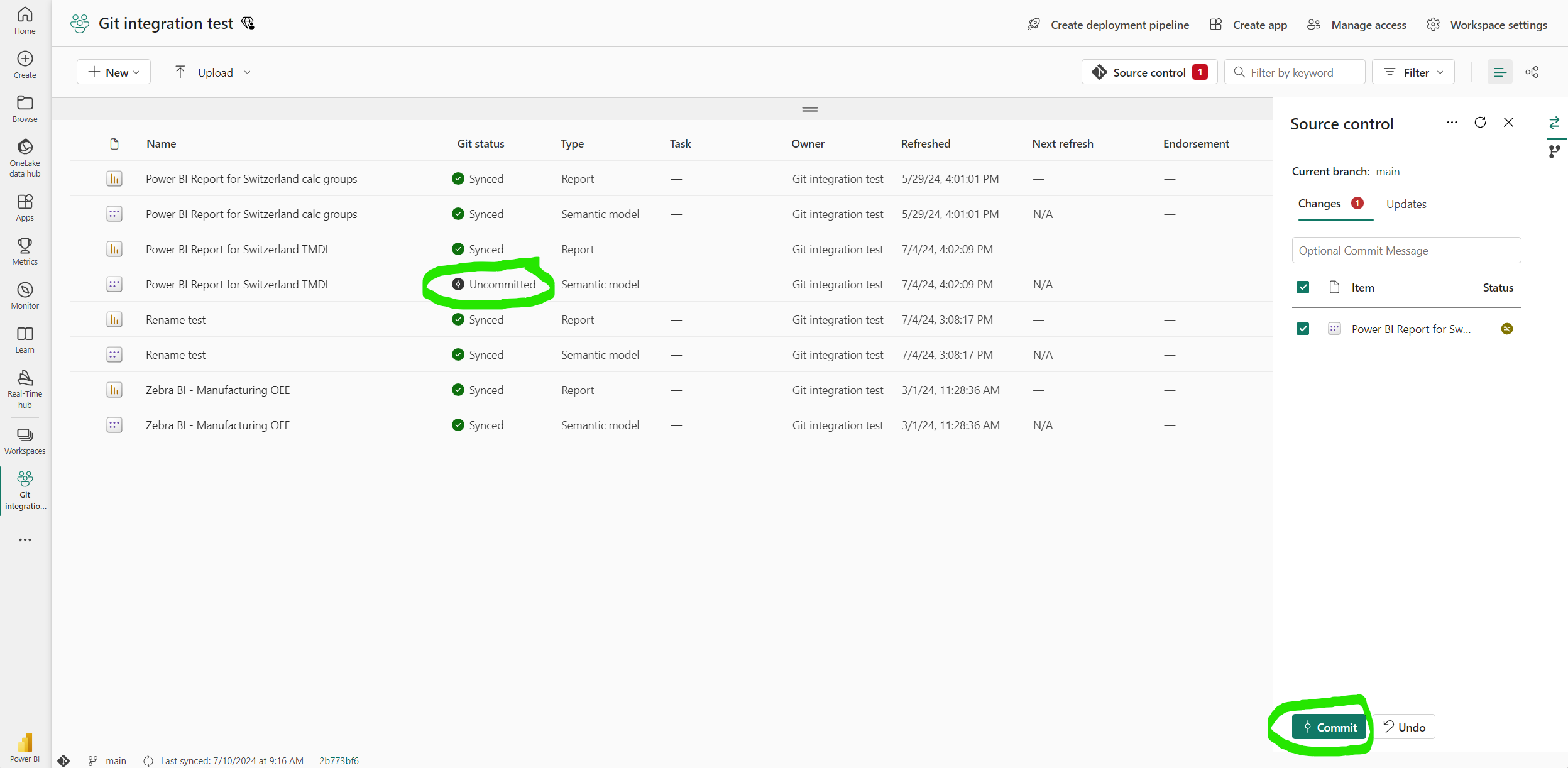
Users can commit changes or undo them. Once committed, Azure DevOps permits inspection of modifications.
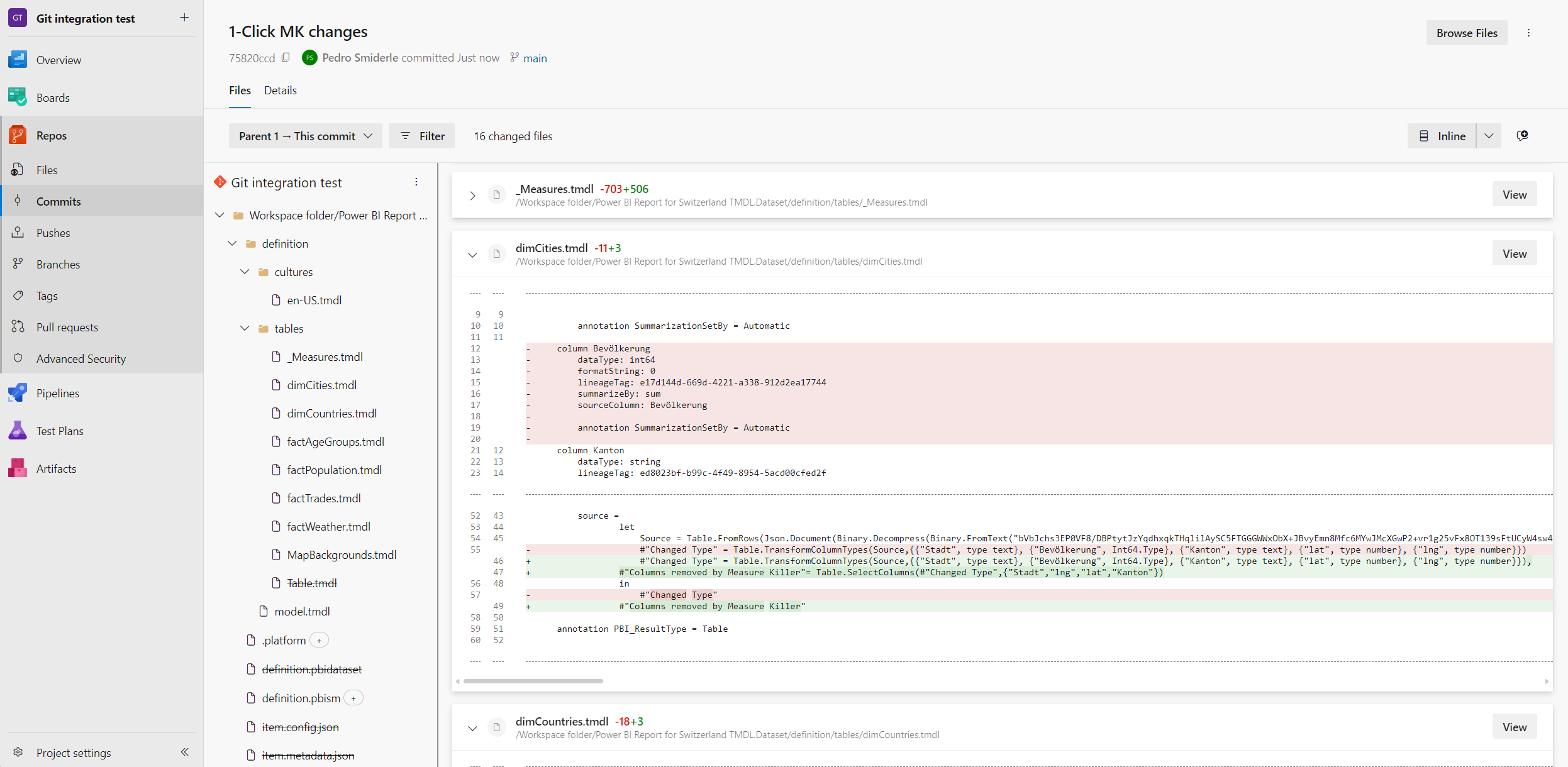
If Changes Require Reversal
Should issues arise, multiple Git commands enable reverting modifications. Azure DevOps provides a “Revert” option for straightforward reversal.
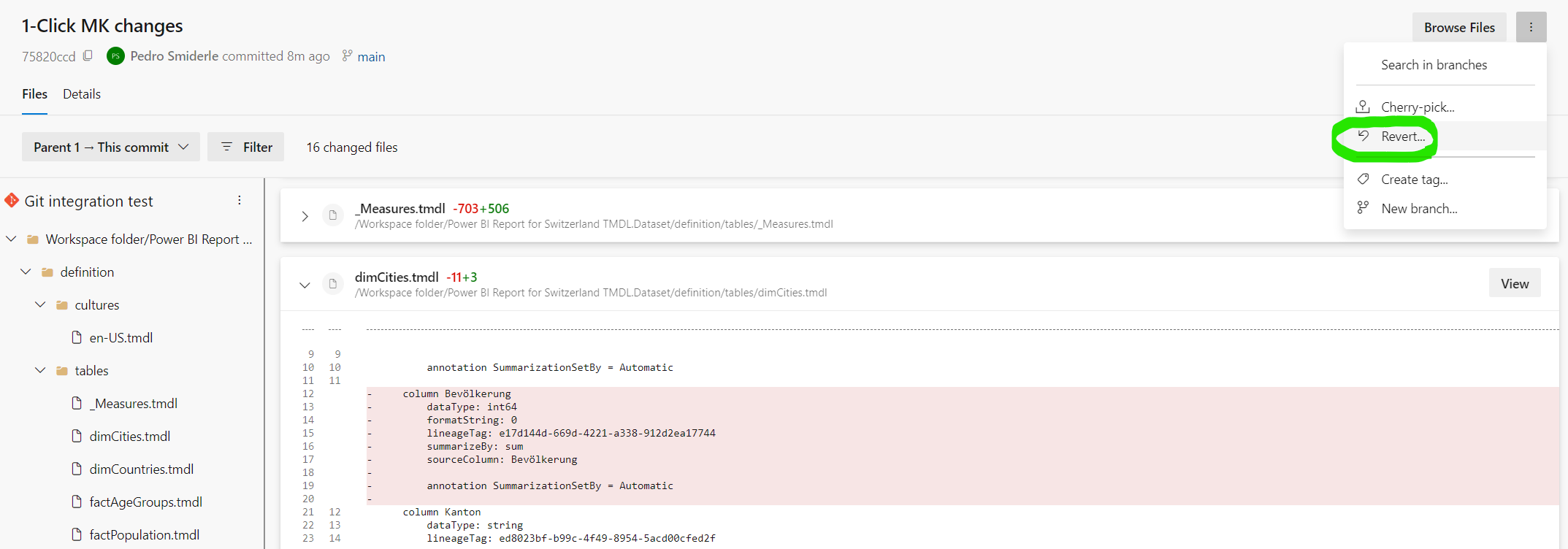
This action creates a branch reversing the changes and merges it back to the primary branch, restoring the previous state.
If Changes Are Correct
Once verified as appropriate, the optimized semantic model is prepared for refresh, with unused components already eliminated. The procedure can repeat for additional models in the workspace.
Conclusion
Combining 1-Click optimization with Fabric Git Integration enables safely eliminating unused components from semantic models efficiently, while maintaining the capability to reverse changes if necessary.
PS 1: Though a TMDL model was utilized for visualization purposes, the identical procedure applies to non-TMDL models.
PS 2: An enhanced security approach involves creating a repository branch before executing 1-Click, subsequently merging to the primary branch afterward.