 Brunner BI

Searching a Power BI report's M code with a few clicks
Stop copying M code query by query. Use Measure Killer's free M Expressions tab to search all your Power Query code in one place.
 Gregor Brunner
Power Query is an amazing tool built into our Power BI interface. Searching its code however is time consuming and takes a lot of effort.
Either we go query by query or copy paste the M code into an editor, those are no good solutions, we want it EASY!
So what can we do if we want to search our whole M code with a few clicks?
The best solution right now is to use the free version of Power BI external tool Measure Killer for that.
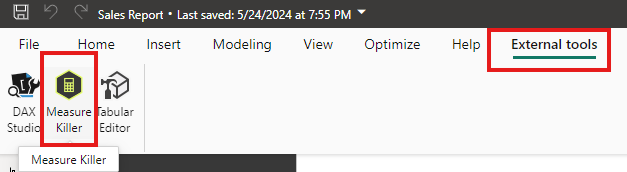
Once you download and install it, you will be able to launch it from within Power BI Desktop via the external tools ribbon.
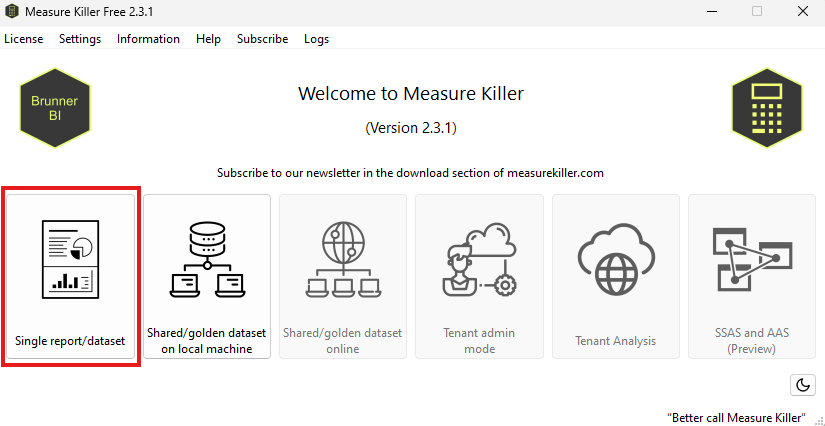
Choose the single mode (the other modes are either for shared datasets or the paid version).
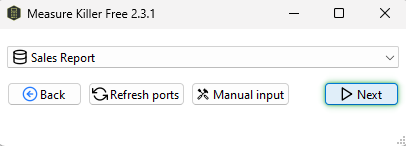
It will preselect the Power BI file you have open currently so just hit next.
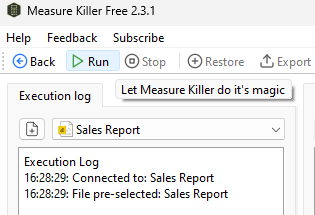
Now click on run in the main UI.
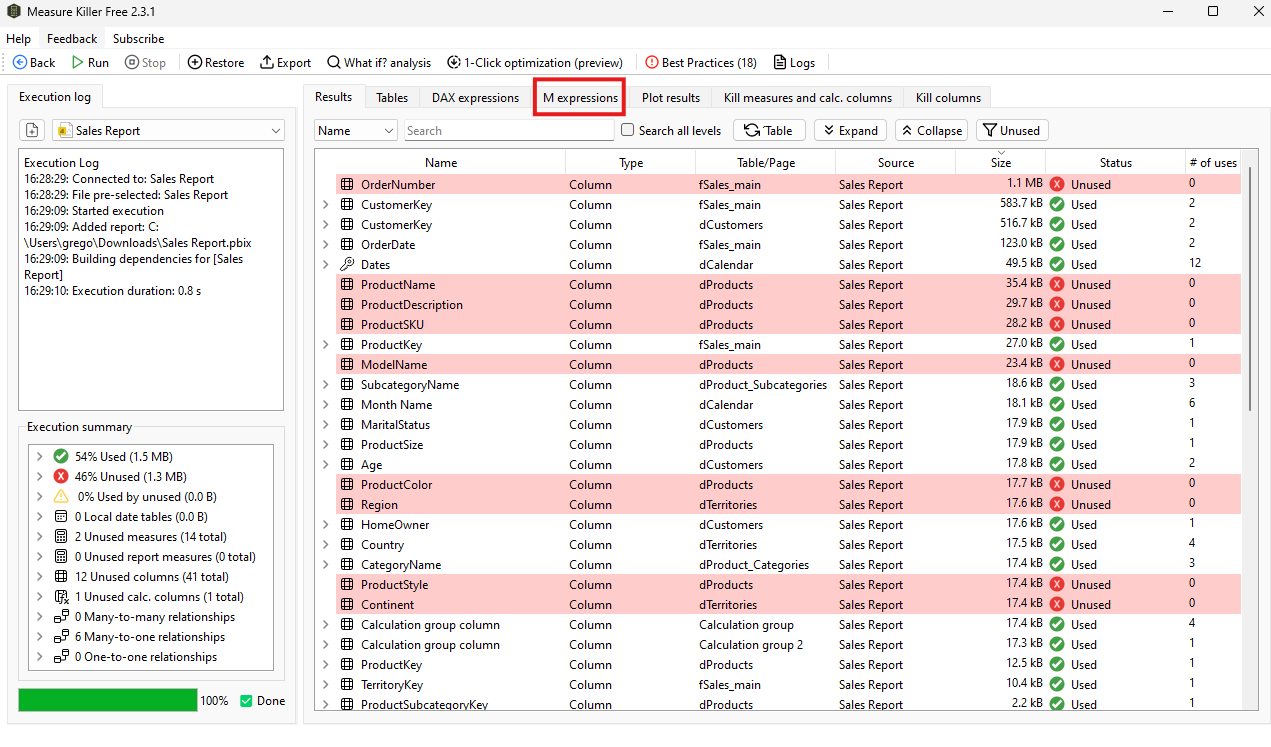
We are not interested in removing unused columns or measures — we want to go for the M expressions so choose that in the tabs in top middle.
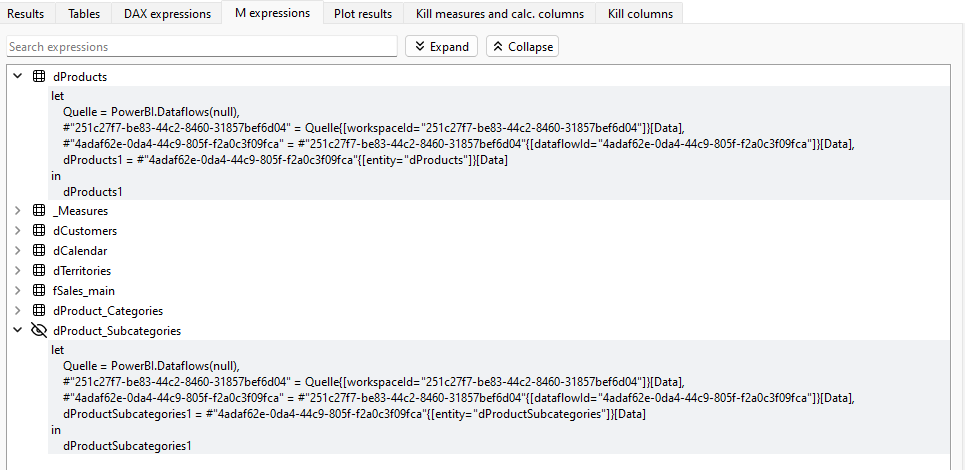
It will produce all our queries (if load enabled or not) and we can search them in the search bar on top. You can see that the last query (with the crossed out eye) has its load deactivated — that is why the icon is different.
This is a great view to search in which of my queries a database view is used. Or which Snowflake roles or db schema is referenced where.
I have the old PowerBI.Dataflows() connector in my example. This is a legacy connector which should be replaced with PowerPlatform.Dataflows().
You can also export everything as Excel or .json for documentation purposes.
Everything until this point was part of the free version of Measure Killer.
Paid Version Features
Now the paid version of the tool comes into play.
If you want to do this at scale Measure Killer Enterprise lets you search multiple models at once or even your whole Power BI tenant for the M code of all your models.

You can see it returns two models in one of my workspaces containing the search term “business schema”.
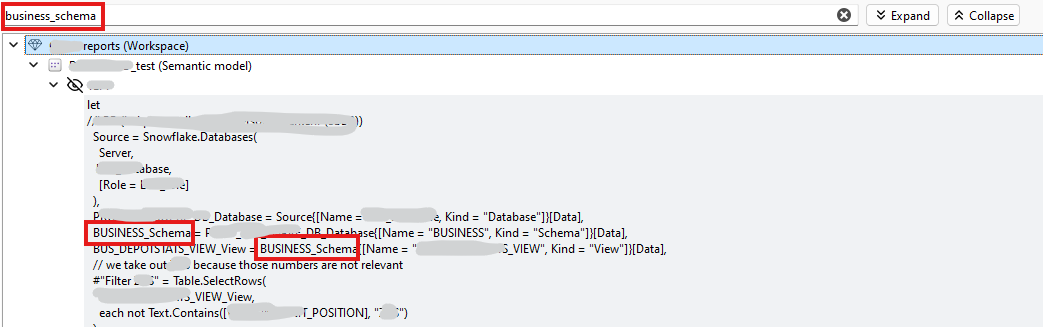
When I open up one of the queries I can see exactly where in the M code this is referenced.
You can also do this across all models in your tenant using Measure Killer’s paid features. Request a free trial to get started.